
An alarm you have to get up for.
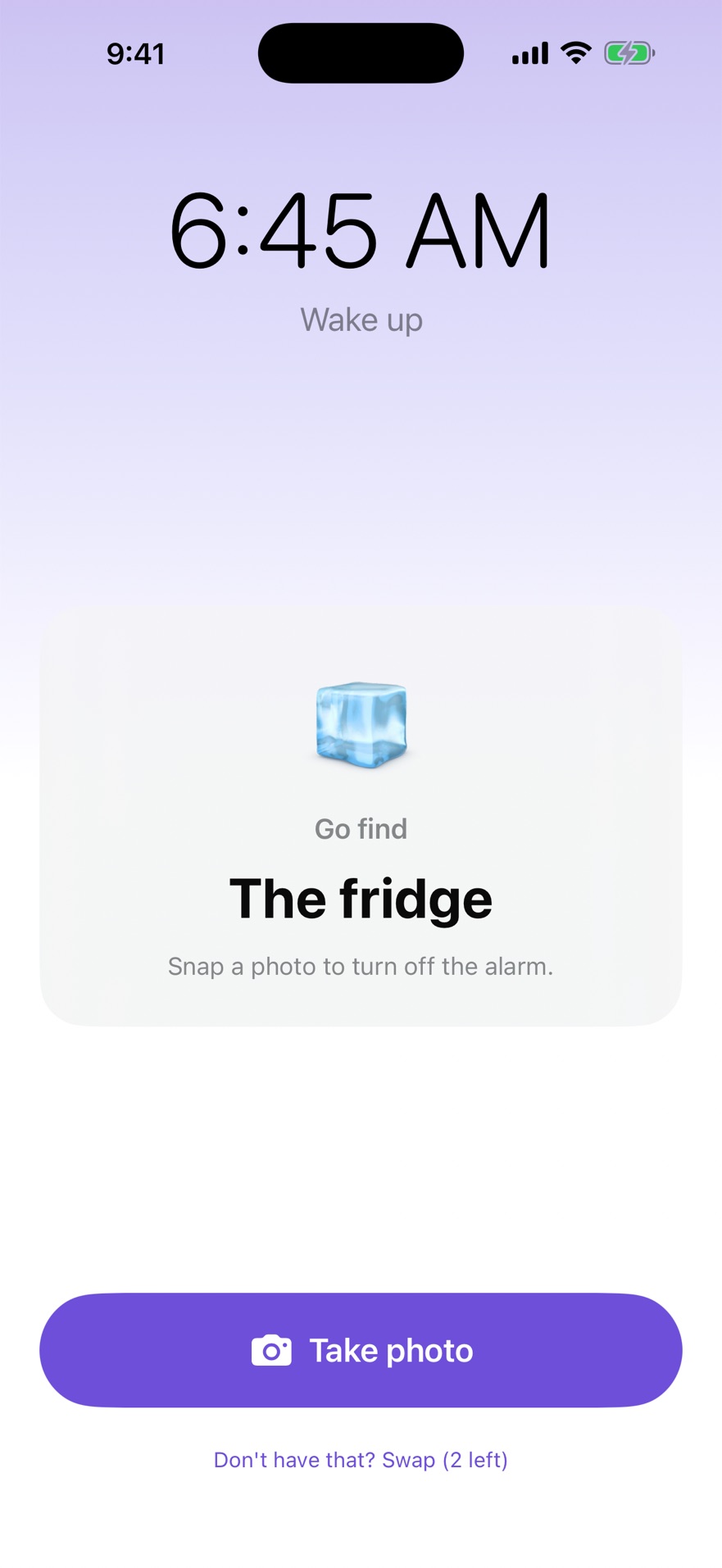
When it rings, it sends you to find something: the fridge, your sneakers, the bathroom sink. Take a photo of it and the alarm stops. By then you're out of bed, which was the whole idea.
iPhone and iPad · iOS 26 and later
Three things it does differently
Stop is not off
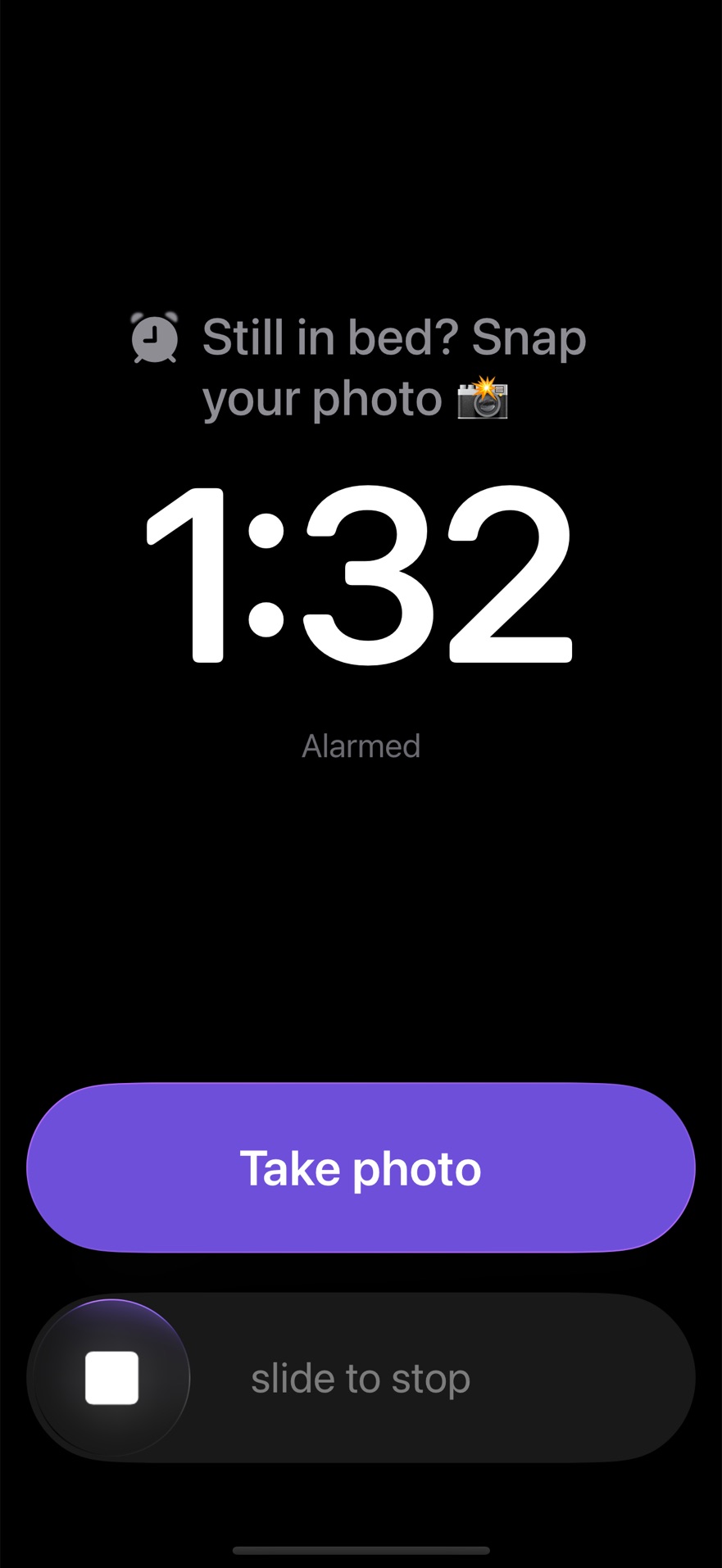
Slide to stop all you like. A few minutes later it rings again, and again, until a photo passes. There is no snooze button to lean on, because snoozing is the problem. It rings like the built-in alarm, full screen and through Silent mode and Focus.
Proof, not a promise
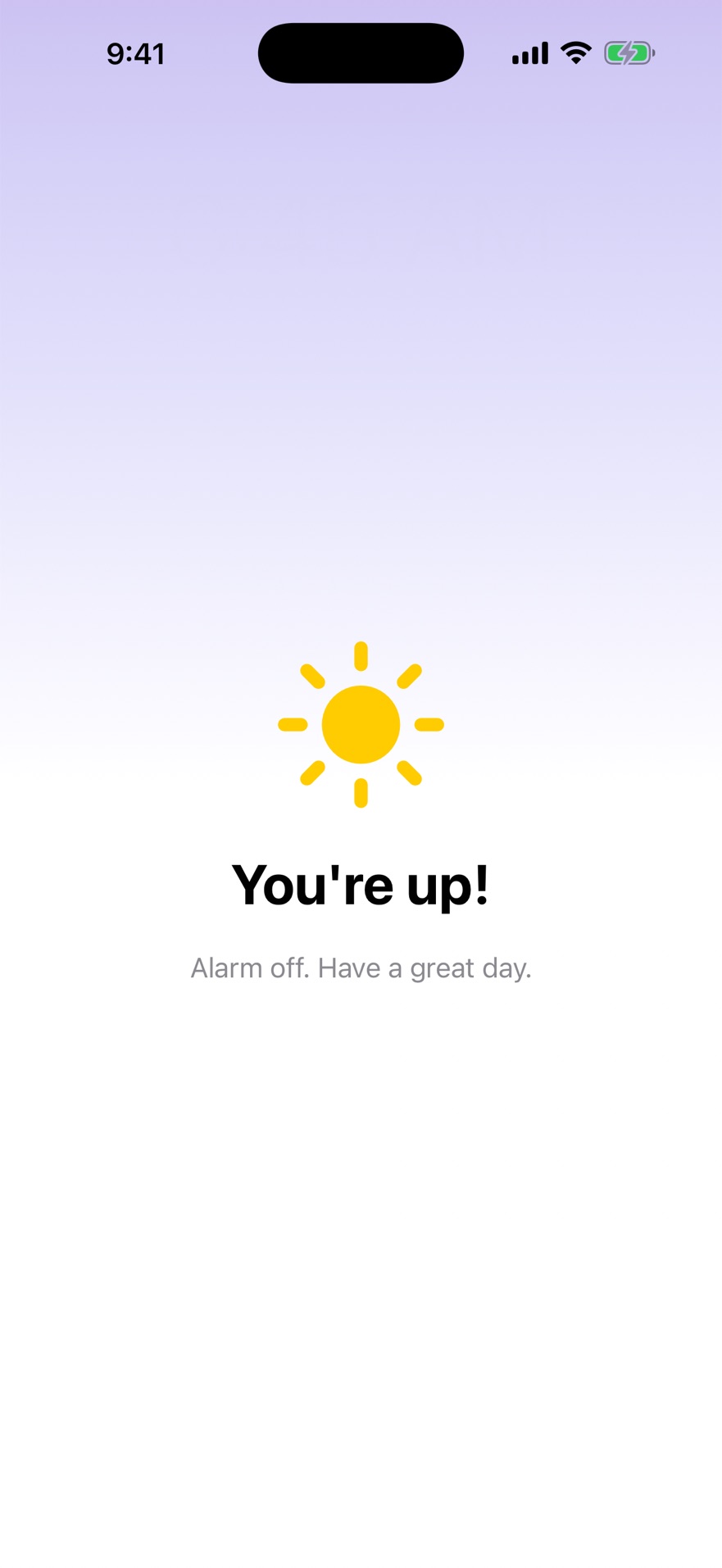
Pick a mission for each alarm. Find an object sends you somewhere new every morning. My spot asks for the same place every time, like the bathroom sink, and checks your photo against the one you took when you set it up. It only takes the live camera, so last week's photo won't do.
A streak worth keeping
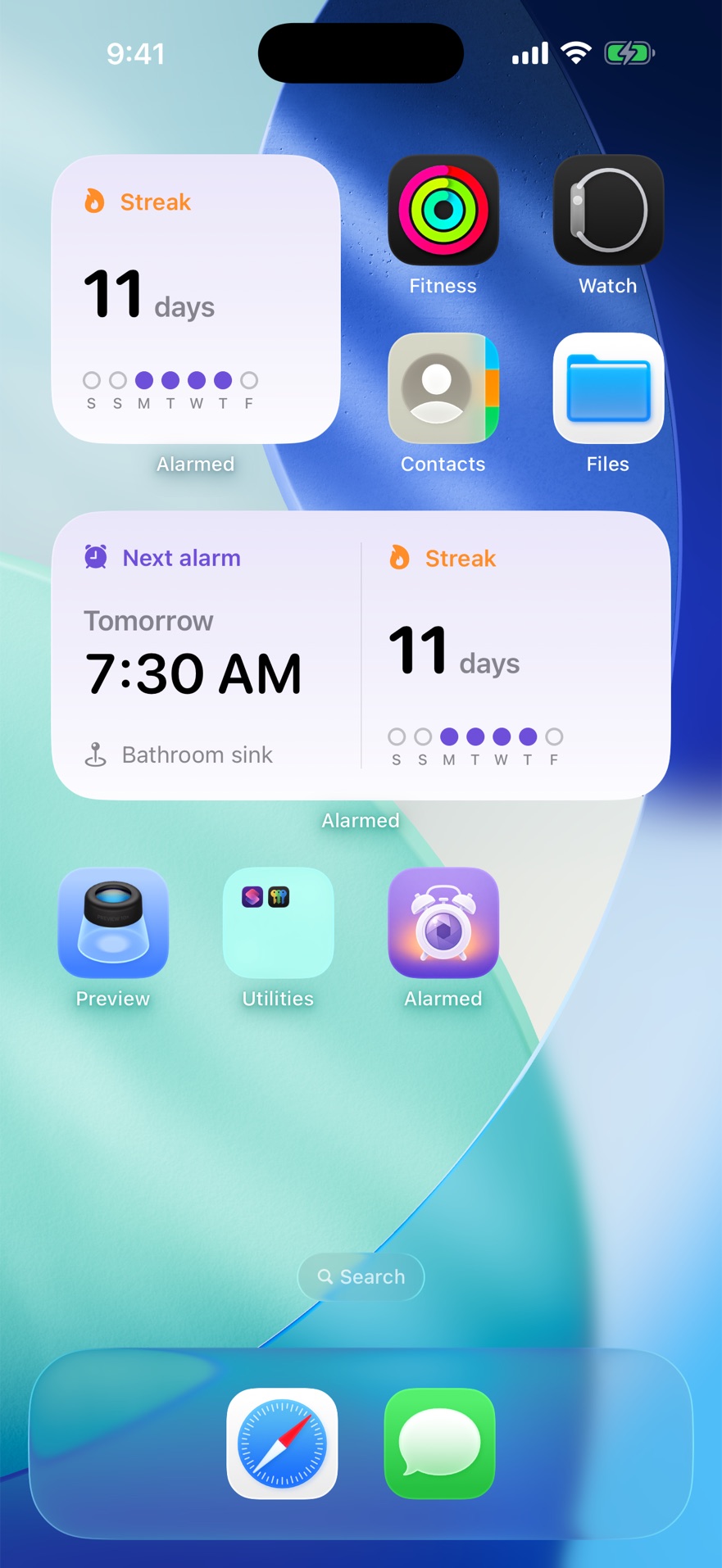
Every morning you beat the alarm adds a day. Days without an alarm don't count against you. Put the streak and your next alarm on the Home Screen or Lock Screen and the case for getting up makes itself.
Where it might send you
Somewhere that isn't your bed.
Fifteen everyday things, chosen so none of them can be photographed from under the covers. Switch off anything your house doesn't have. If the one it picks isn't nearby, you get two swaps a morning.
- 🧊The fridge
- 🚰The kitchen sink
- 🪥A bathroom faucet
- 🚽The toilet
- 🚿The shower
- ☕️A mug or cup
- 👟Your sneakers
- 🍿The microwave
- 🍳The stove or oven
- 🫖A kettle
- 🥣A bowl
- 🎒Your backpack
- 🪜The stairs
- 🛋️The couch
- 🍌A piece of fruit
- 📍Or your own spot
Mornings, counted
One dot for every time you won.
The streak widget shows the last seven days at a glance. A filled dot is a morning you beat the alarm. A red one is a morning the alarm won. An empty one is a day with no alarm set, and it never breaks the run.
Built for 6:45am
- Rings like a real alarm
- Full screen on the Lock Screen, through Silent mode and Focus, using Apple's own alarm system.
- Keeps coming back
- Follow-up alarms every few minutes until the photo passes. You choose how often and how many.
- No sneaking back to bed
- A few minutes after you're up, it asks "Still up?". No answer and the alarm comes back.
- Five personalities
- Gentle, Encouraging, Hype, Sarcastic or Drill Sergeant. Pick how it talks to you, and the sound it rings with.
- Rewards from home
- Parents can set real rewards, like picking Friday dinner for a 30-day streak.
- Seven languages
- English, German, Spanish, French, Italian, Dutch and Portuguese, with Larger Text, Dark Mode and Reduce Motion support.
- Checked on the device
- Photos are read by Apple's on-device image recognition and never uploaded anywhere.
- A parent override
- Set a code and a Parent button appears on the wake-up screen for sick days.
- Nothing collected
- No account, no ads, no analytics, no tracking. The app makes no network connections at all.
Set it tonight. Get up tomorrow.
The photo is just the excuse.